Frames
Frames
Frames are borders/containers around terminal content. Dev Reel offers 5 frame types, each with specific style and use case.
terminal (default)
macOS-style terminal window with traffic lights (red, yellow, green) in the top-left corner. The most popular and recognizable frame.
frame: terminalFeatures:
- Header with macOS traffic lights (3 circles: red, yellow, green)
- Centered title in header (if showTitle: true)
- Rounded corners
- Soft shadow
- Generous internal padding
Best for:
- CLI demos
- Installations and setup
- Command output
- Terminal workflows
```dev-reeltitle: terminal-exampletheme: promise-incframe: terminalshowTitle: true
$ npx create-react-app my-app✔ Created my-app```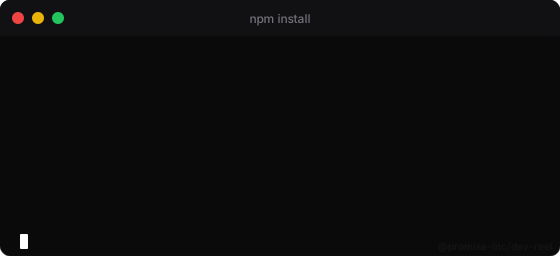
Terminal frame example
card
Simple and clean card without decorations. Just rounded corners and background.
frame: cardFeatures:
- No header or decorations
- Subtle rounded corners
- Theme background
- Uniform padding
- Minimalist look
Best for:
- Code snippets
- Simple output
- When you want focus on content
- Bento layouts (multiple cards side by side)
```dev-reeltitle: card-exampletheme: nordframe: card
$ npm test✔ All tests passed (12/12)```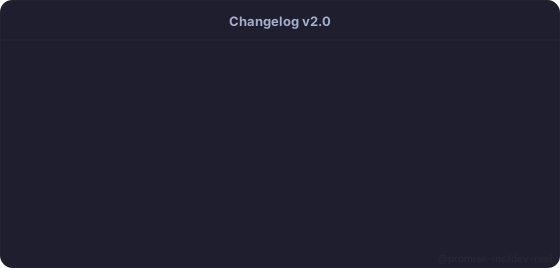
Card frame example
browser
Browser chrome with address bar and navigation buttons. Ideal for simulating web output or DevTools.
frame: browserFeatures:
- Browser header with traffic lights
- URL bar with padlock icon (HTTPS)
- Navigation buttons (back, forward, reload)
- Modern browser look
- Title used as URL (if showTitle: true)
Best for:
- DevTools console output
- Web app demos
- HTTP requests/responses
- Debugging workflows
```dev-reeltitle: localhost:3000theme: draculaframe: browsershowTitle: true
> console.log('Hello, world!')< Hello, world!✔ No errors```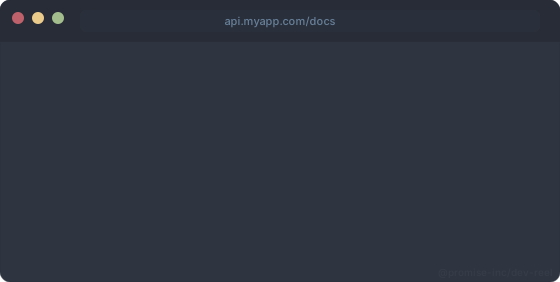
Browser frame example
mobile
Smartphone frame with notch at the top. Simulates mobile screen.
frame: mobileFeatures:
- Mobile screen aspect ratio (narrower)
- Notch at top (iPhone style)
- Pronounced rounded corners
- Status bar with time and battery
- Smartphone look
Best for:
- Mobile apps/React Native
- Mobile CLIs (Expo, etc)
- Mobile console simulation
- Responsive design demos
```dev-reeltitle: mobile-demotheme: catppuccin-mochaframe: mobilewidth: 375
$ expo start✔ Metro bundler started✔ Connected to device```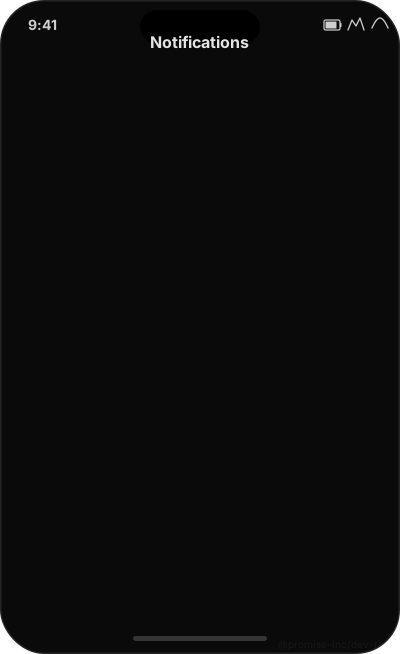
Mobile frame example
none
No frame. Just the content rendered directly, without container.
frame: noneFeatures:
- Zero decorations
- No frame padding (only text padding)
- No borders or frame shadows
- Maximum content density
Best for:
- Embedding in other designs
- When you add your own frame
- Maximum simplicity
- Pure output without visual context
```dev-reeltitle: no-frametheme: promise-incframe: none
$ npm --version9.8.1```
No frame example
Side-by-side comparison
Same content in all frames:
```dev-reeltitle: frame-terminalframe: terminallayout: bento
$ npm run build✔ Build complete```
```dev-reeltitle: frame-cardframe: cardlayout: bento
$ npm run build✔ Build complete```
```dev-reeltitle: frame-browserframe: browserlayout: bento
$ npm run build✔ Build complete```
```dev-reeltitle: frame-mobileframe: mobilelayout: bento
$ npm run build✔ Build complete```
```dev-reeltitle: frame-noneframe: nonelayout: bento
$ npm run build✔ Build complete```
Bento layout with multiple frames side by side
Frame customization
Some frames respond to additional configuration options:
| Frame | Option | Effect |
|---|---|---|
| terminal | showTitle: true | Shows title in header between traffic lights |
| terminal | showTitle: false | Header with traffic lights but no title |
| browser | showTitle: true | Uses title as URL in address bar |
| browser | showTitle: false | Empty URL bar |
| card | showTitle | No effect (card has no header) |
| mobile | showTitle | No effect (mobile doesn't show title) |
| none | showTitle | No effect (no frame) |
Selection guide
Use this flow to choose the ideal frame:
- Traditional CLI or terminal workflow? → terminal
- Need maximum simplicity or embedding? → none
- DevTools, HTTP, or web context? → browser
- Mobile app or React Native? → mobile
- Simple code snippet or bento layout? → card
Tips and best practices
- Terminal is the default for a reason: works for 90% of cases
- Use the same frame throughout the README for consistency
- Browser frame works well with titles like 'localhost:3000' or 'api.example.com'
- Mobile frame looks better with width: 375 or similar
- Card is ideal for bento layouts with multiple small blocks
- None is useful when you'll process the SVG afterwards