Introduction
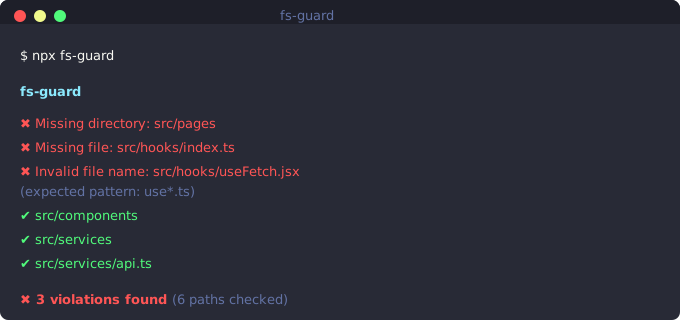
FS Guard demo — validating project structure
What is FS Guard?
FS Guard is a tool that validates your project's folder and file structure against predefined conventions. It helps teams maintain consistent project organization by enforcing structural rules automatically.
Why Enforce Structure?
Consistent project structure makes codebases easier to navigate, especially for new team members. FS Guard prevents structural drift by validating that required folders and files exist, and that naming conventions are followed.
- Onboard new developers faster with predictable structure
- Prevent accidental deletion of important folders
- Enforce team conventions automatically
- Catch structural issues in CI before they reach production
- Document your project structure as code
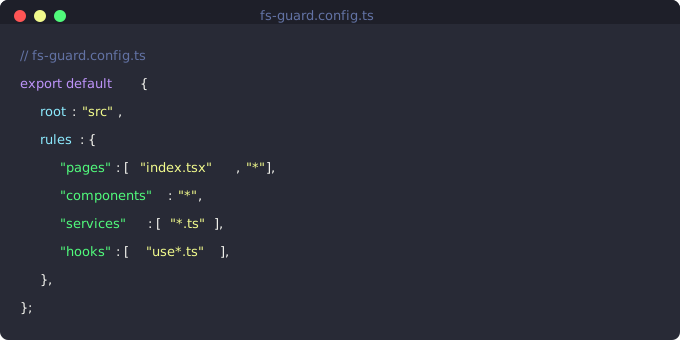
FS Guard CLI output example
Use in CI
FS Guard is designed to run in continuous integration pipelines. It exits with code 1 when validation fails, making it easy to block merges that violate structural conventions:
# In your CI workflow- name: Validate structure  run: npx fs-guard
# Or with a specific preset- name: Validate NestJS structure  run: npx fs-guard --preset nestjs
How It Works
FS Guard reads a configuration file that defines structural rules for your project. It then scans your file system and reports any violations. Rules can require specific folders, files, naming patterns, or maximum nesting depths.